



Restaurant POS Systems: How to Choose the Right Platform for Your Business
Choosing a restaurant point-of-sale (POS) system is one of the most important technology decisions a restaurant operator can make.
The right platform supports efficient service, accurate orders, secure payments, and reliable reporting. The wrong one can introduce unnecessary costs, frustrate employees, and create problems during your busiest hours. With so many restaurant POS systems available in 2026, comparing platforms involves more than reviewing features or monthly subscription prices. Whether you're opening a new restaurant in Denver, replacing outdated equipment, or standardizing technology across multiple locations, this guide explains what to look for, which questions to ask, and how to prepare for a successful implementation.

What Is a Restaurant POS System?
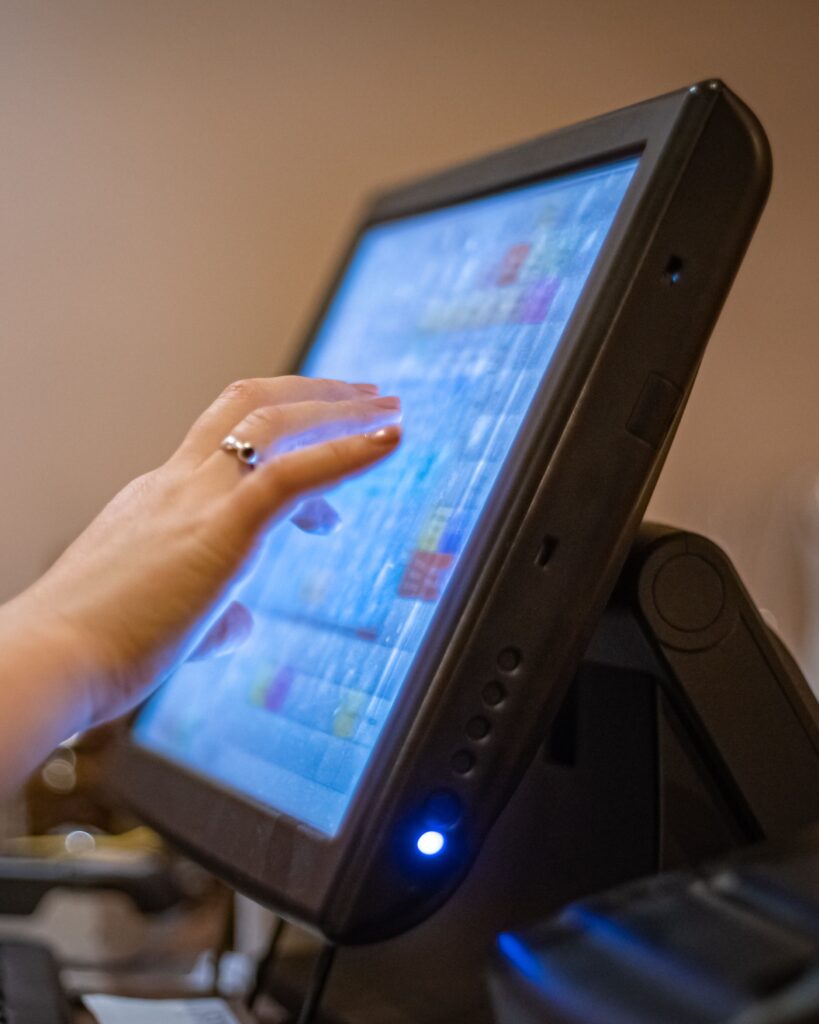
A restaurant POS system is the combination of software and hardware used to enter orders, process payments, manage transactions, and support daily restaurant operations.
Modern restaurant POS platforms often connect several business functions, including:
- Order entry and menu management
- Credit card and contactless payments
- Kitchen display systems and printers
- Online ordering and delivery integrations
- Sales reporting and analytics
- Employee permissions and time tracking
- Inventory and accounting integrations
- Customer loyalty and gift card programs
The specific capabilities vary by provider and service plan.
A POS system should fit the way your restaurant operates rather than forcing your staff to work around software limitations.
What Type of POS System Does Your Restaurant Need?
Different restaurant concepts have different operational requirements. Before comparing providers, identify the workflows your system needs to support.
Full-Service Restaurant POS Systems
Full-service restaurants typically need flexible table management, split checks, coursing, modifiers, and communication between servers and kitchen staff.
Tableside ordering and payment capabilities may also improve efficiency, depending on the service model.
Quick-Service and Fast-Casual POS Systems
Quick-service restaurants often prioritize fast transactions, simplified order entry, self-service kiosks, online ordering, and efficient kitchen routing.
The ability to handle multiple ordering channels without creating duplicate tickets is particularly important.
Bar and Nightlife POS Systems
Bars may require open tabs, preauthorization options, rapid order entry, tip management, and reliable payment processing during high-volume periods.
Multi-Location Restaurant POS Systems
Restaurant groups need consistent menu configurations, centralized reporting, location-specific permissions, and the ability to manage pricing or promotions across properties.
A platform that works well for one location may become difficult to manage as the business expands.
7 Essential Features to Look for in a Restaurant POS System
Not every restaurant needs every available feature. However, these seven areas deserve careful evaluation.
1. Easy-to-Use Order Entry
Your employees should be able to enter orders quickly and accurately.
During a demonstration, test common scenarios such as substitutions, modifiers, discounts, split checks, and voids.
A system that looks intuitive during a sales presentation may behave differently during a busy dinner service.
2. Kitchen Display System Integration
A kitchen display system (KDS) communicates orders digitally to preparation stations.
Evaluate how the POS handles ticket routing, order changes, preparation timing, and communication between kitchen stations.
For restaurants with complex menus, proper KDS configuration can be just as important as the POS software itself.
3. Payment Processing Flexibility
Understand which payment processors the platform supports and whether you’re required to use a specific provider.
Ask about transaction fees, chargebacks, settlement schedules, hardware compatibility, and contract restrictions.
A lower monthly subscription fee doesn’t necessarily mean a lower total operating cost.
4. Reporting and Analytics
Restaurant POS reporting should provide information that managers can actually use.
Look for accessible data on sales by category, product performance, discounts, voids, labor, and payment types.
Multi-location operators may also need consolidated reports and location-level comparisons.
5. Third-Party Integrations
Your POS may need to communicate with accounting, inventory management, reservations, delivery services, payroll, and other applications.
Not every integration advertised by a provider offers the same capabilities.
Some connections exchange information automatically, while others require additional subscriptions, third-party tools, or manual processes.
Bearheart Consulting helps restaurants evaluate and coordinate these connections through its restaurant systems integration services.
6. Offline Functionality and Reliability
Internet outages can affect payment authorization, online ordering, cloud reporting, and other POS functions.
Ask vendors exactly what happens when connectivity fails.
Can employees continue entering orders? Can kitchen tickets still print? Which payment types remain available, and how are transactions synchronized after service returns?
Offline capabilities vary significantly between platforms.
For restaurants that depend on connected systems, backup internet and automatic failover solutions can provide another layer of operational resilience.
7. Security and User Permissions
Look for configurable employee permissions, secure authentication, supported payment devices, and timely software updates.
Restaurants should also understand their responsibilities under the Payment Card Industry Data Security Standard (PCI DSS).
Using a POS provider that handles payment processing does not automatically eliminate a merchant’s compliance obligations.
How Do Popular Restaurant POS Platforms Compare?
Restaurant operators frequently evaluate platforms such as Toast, Square for Restaurants, Lightspeed Restaurant, and Oracle MICROS Simphony.
Each platform has different capabilities, pricing models, hardware requirements, and integration ecosystems.
| POS platform | Worth evaluating for | Important considerations |
|---|---|---|
| Toast | Restaurants seeking an integrated hospitality-focused platform | Processing terms, hardware requirements, feature availability |
| Square for Restaurants | Operators prioritizing straightforward deployment and a connected payment ecosystem | Advanced workflows, subscription tiers, integrations |
| Lightspeed Restaurant | Restaurants evaluating hospitality reporting and management tools | Regional features, integration availability, total cost |
| Oracle MICROS Simphony | Hospitality groups evaluating enterprise and multi-property capabilities | Deployment complexity, configuration, ongoing administration |
These are examples, not a ranking or endorsement. Product capabilities and contracts can change, so operators should request current demonstrations and written proposals.
The best restaurant POS system is the one that supports your operational requirements, integrates with your existing technology, and remains manageable as your business grows.

How Much Does a Restaurant POS System Cost?
Restaurant POS costs depend on the number of terminals, software subscriptions, payment processing agreements, hardware, implementation requirements, and ongoing support.
Operators should evaluate the total cost of ownership rather than the advertised monthly starting price.
| Expense | What to evaluate |
|---|---|
| Software subscriptions | Monthly fees, add-ons, location charges |
| POS hardware | Terminals, handhelds, printers, payment devices |
| Payment processing | Transaction rates, fixed fees, chargebacks |
| Installation | Configuration, cabling, equipment deployment |
| Integrations | Third-party subscriptions and setup fees |
| Training | Employee onboarding and management training |
| Support | Service coverage, maintenance, replacement equipment |
Request a written cost breakdown covering initial installation and recurring expenses over several years.
Also review contract length, cancellation terms, hardware ownership, data export options, and price changes after promotional periods.
POS Implementation: Why Installation Planning Matters
Choosing the right software is only half the project. A successful rollout requires coordination between your POS provider, payment processor, network installer, managers, and employees.
Evaluate Your Existing Infrastructure
Before installing equipment, confirm that the property has suitable network connectivity, wireless coverage, cabling, power, and equipment locations.
A new cloud-based POS system may expose existing network weaknesses that weren’t apparent with older equipment.
Our guide to restaurant network and Wi-Fi infrastructure covers what to check before equipment is installed.
Configure the POS Database
Menu structure, modifiers, pricing, taxes, discounts, employee permissions, and kitchen routing should be configured around real operations.
For example, an incorrectly configured modifier may cause ordering errors or send incomplete instructions to the kitchen.
Test Before Going Live
Testing should include ordinary transactions and more complicated situations, such as refunds, split payments, order changes, offline scenarios, and end-of-day reconciliation.
Train Employees and Prepare for Launch
Managers and employees need hands-on experience before the system becomes responsible for live transactions.
For an established restaurant, migration planning should also address historical data, gift card balances, open checks, and the timing of the transition.
Bearheart Consulting provides restaurant POS implementation and upgrade consulting, including vendor coordination, hardware planning, dat
Common Restaurant POS Selection Mistakes
Restaurant owners can avoid unnecessary complications by recognizing several common mistakes early.
Choosing based on subscription price alone. Hardware, payment processing, integrations, and support may represent substantial long-term expenses.
Ignoring network requirements. Reliable connectivity and appropriate network design are essential for many modern POS systems.
Assuming all integrations work automatically. Confirm compatibility, data flow, and additional costs before committing.
Skipping real-world demonstrations. Ask providers to demonstrate your actual workflows rather than relying on generic presentations.
Underestimating migration complexity. Moving menus, payment configurations, reporting, and employee workflows requires structured planning.
Failing to identify support responsibilities. Determine who handles problems involving hardware, software, connectivity, and payment processing.
When restaurants experience recurring technology problems, the POS may not be the only issue. Learn more in Bearheart’s article on five signs your restaurant needs IT support.
Questions to Ask Before Choosing a Restaurant POS Provider
Use these questions during vendor demonstrations and contract discussions:
- Does the platform support our restaurant’s ordering and service workflows?
- Which features require additional subscriptions?
- What payment processors and hardware are supported?
- Which existing systems can integrate with the POS?
- What happens during an internet outage?
- Can we export our data if we change providers?
- How are software updates, security, and employee permissions managed?
- What implementation assistance and training are included?
- Who provides technical support during operating hours?
- What is the complete cost over the proposed contract term?
Documenting answers makes vendor comparisons more objective and reduces surprises after implementation.
Frequently Asked Questions About Restaurant POS Systems
What is the best POS system for a small restaurant?
Can you change restaurant POS systems without closing?
Do restaurant POS systems require internet access?
How long does restaurant POS implementation take?
Should restaurants hire a POS consultant?
A POS consultant can be valuable when evaluating several vendors, managing a complex implementation, integrating multiple systems, or replacing technology across several locations. Independent planning can help businesses make decisions based on their requirements rather than a single vendor’s offering.
Choose a POS System That Works for Your Restaurant
A restaurant POS system should help your team deliver consistent service, maintain accurate records, and manage day-to-day operations without unnecessary complications.
The right decision involves more than selecting software. It requires evaluating integrations, payment processing, infrastructure, implementation, ongoing support, and long-term costs.
Bearheart Consulting helps restaurant and hospitality operators navigate these decisions through technology planning, POS implementation, vendor coordination, and systems integration.
Planning a POS upgrade or opening a new restaurant?
Explore Bearheart’s hospitality technology consulting services to learn how the right technology strategy can support your business.
Ready to Upgrade Your Restaurant POS System?
Choosing and implementing the right POS platform shouldn't disrupt your operations. Bearheart Consulting helps restaurants evaluate systems, coordinate vendors, plan integrations, and manage POS installations from start to finish.

Rik Reinhardt
Rik Reinhardt is the owner of Bearheart Consulting, a hospitality technology firm based in Colorado. He spent more than 35 years in restaurant and hotel operations, including over 15 years leading hospitality IT, before founding Bearheart. He has opened and upgraded systems for hotels, resorts, multi-unit restaurant groups and independent restaurants. His work covers POS, networking, WiFi, payments and vendor management.
1 Comment
Comments are closed.
Pingback: Restaurant Network & Wi-Fi Guide for Operators | Bearheart